(If you're a Head Official and want to set up a league, check out our guide for Head Officials.)
Signing up and getting staffed for games and scrimmages
Davoda Skate helps you indicate which events you want to work and what roles you prefer. Then your league’s head officials can build a roster that works for everyone.
-
First, join your league
Your league’s HNSO (or some other scheduling-type folks) may send out mail with an invite link, or there may be a QR code you can scan wherever your teams practice.
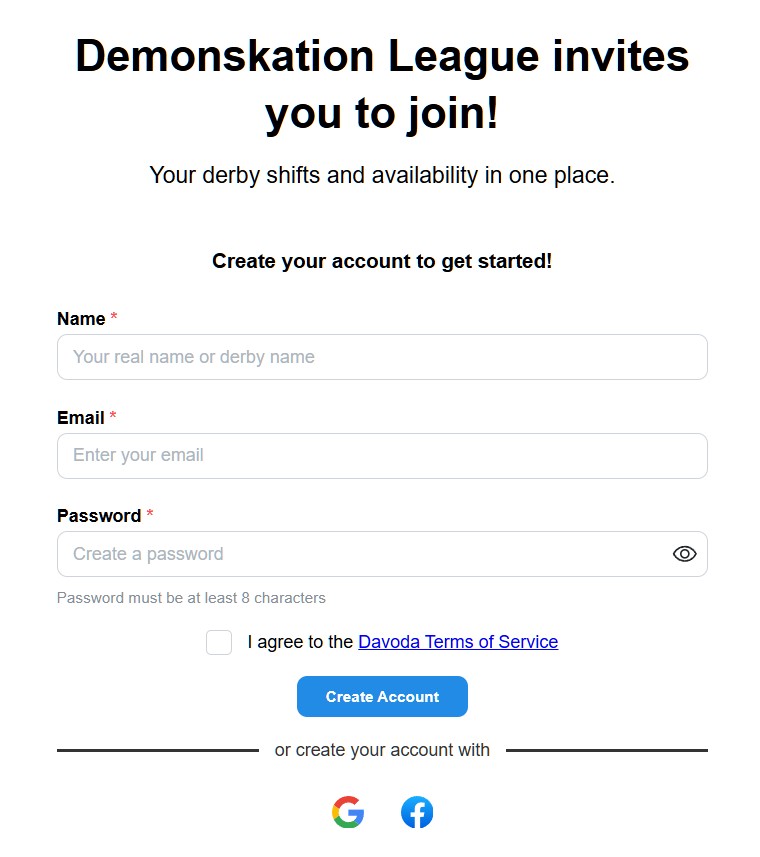
Once you create your account, you can get into Skate and start signing up for events.
Get your league's link
via QR code or email...then create an account with a
password, or your Google/Facebook login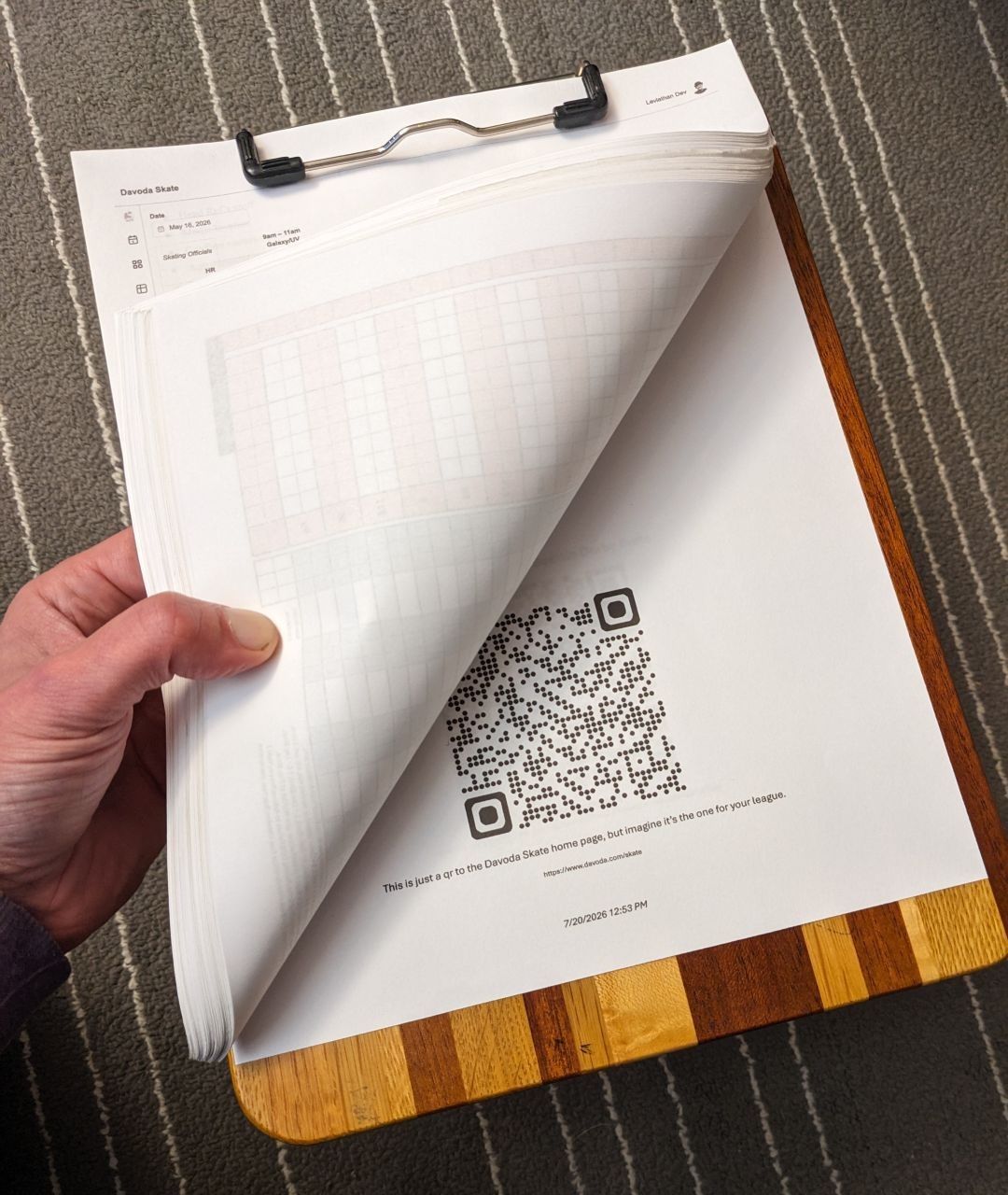
-
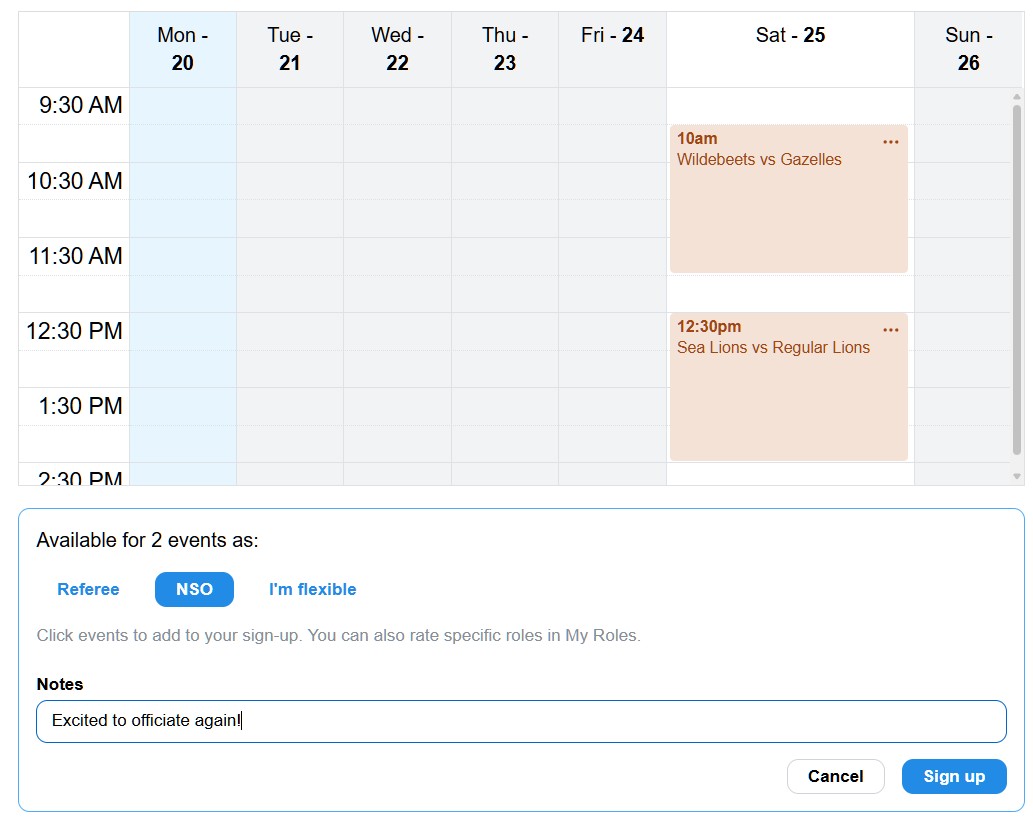
Sign up for events
On the calendar, click an event you can work, and whether you want to ref, NSO, or you’re flexible.
If you don't see any events that week,
pick a week with little dots...then click events to sign up for them 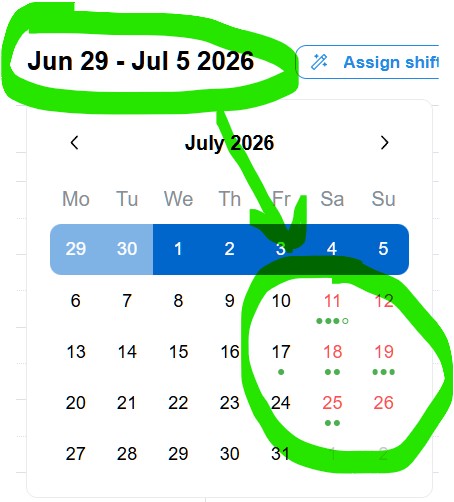
-
Set your role preferences
Open the “My roles” card, and indicate which roles you prefer most, and which ones you’d rather avoid. That helps Skate place you in the right spots.
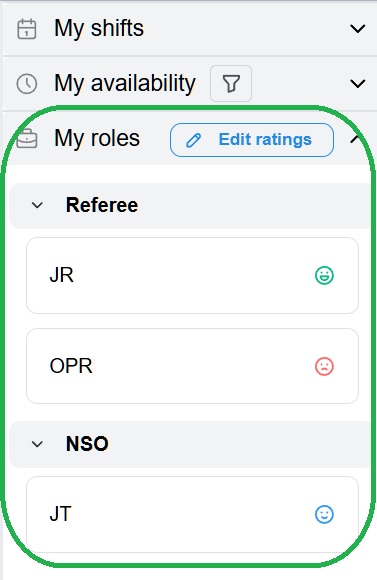
(You can do signups and role preferences in any order, and as often as you like.)
-
Check your assignments
When your scheduler publishes a roster with role assignments, you’ll get an email with a link to Skate.
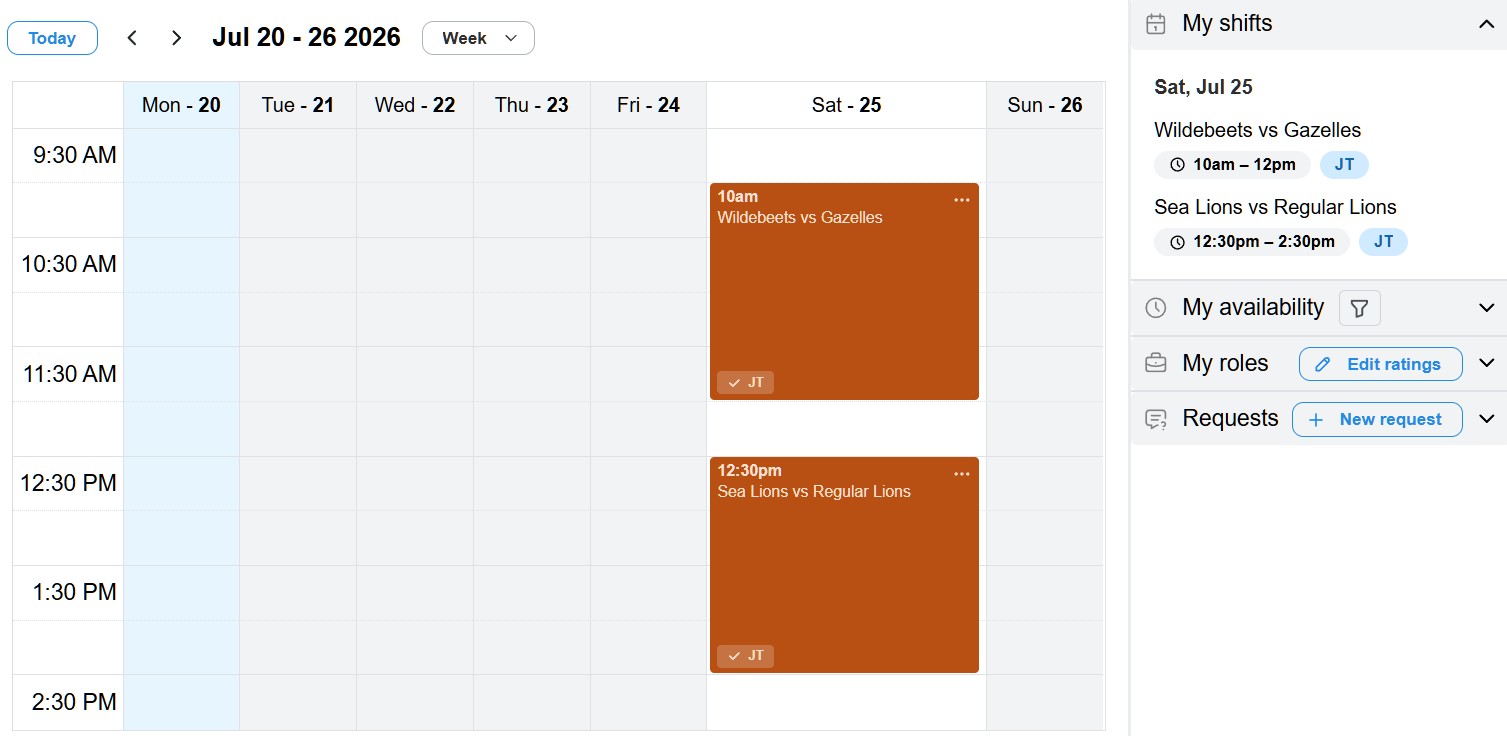
In Skate you’ll see where you’re rostered, on the calendar and the “My shifts” card.
What about scheduling outside derby?
Davoda does more than just derby. If you like the way Davoda Skate helps you with rosters for roller derby, Davoda Slate uses the same scheduling philosophy for broader business staffing, from event signup through on-the-day coverage and beyond.